Hack Lab seal: APT 268, Cardinal Hackers, Rooted in Victory

INTLPOL 268: Hack Lab

Week 3 · Part 1

Web Applications

Alex StamosStanford University
Fall 2026Friday, October 9, 2026

Week 3 · Part 1

What will we learn today?

Today, we will…

  • Discuss how browsers communicate intent to websites
  • See how websites remember who you are
  • Learn to watch, and change, every request yourself
  • Pull off our first attack: asking the server for what we want

Part one

How the web talks

Before 1991

The pre-web world

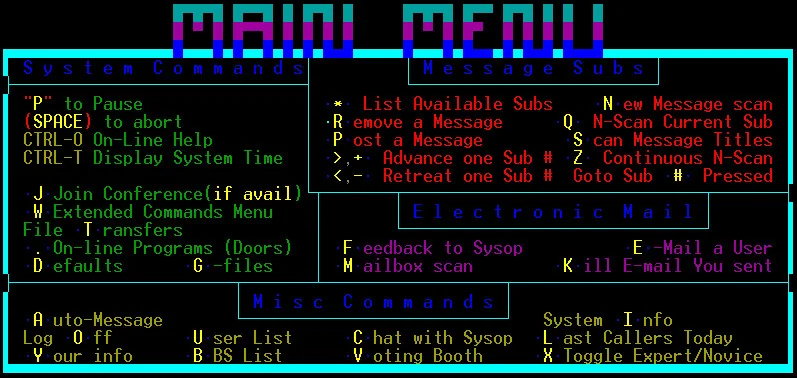
A 1990s bulletin board system welcome screen in coloured ANSI text
A bulletin board system (BBS): dial in, read messages, download files
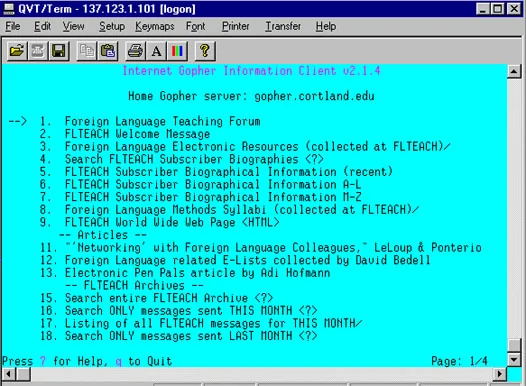
A Gopher client showing a numbered menu of documents and directories on a cyan terminal screen
Gopher: menus of documents, one server at a time

Text, menus, and one protocol per job.

  • FTP to move files
  • Usenet for discussion
  • Telnet and BBSes to log in somewhere else
  • Gopher to browse menus of documents

Nothing linked between them, and nothing ran code on your machine.
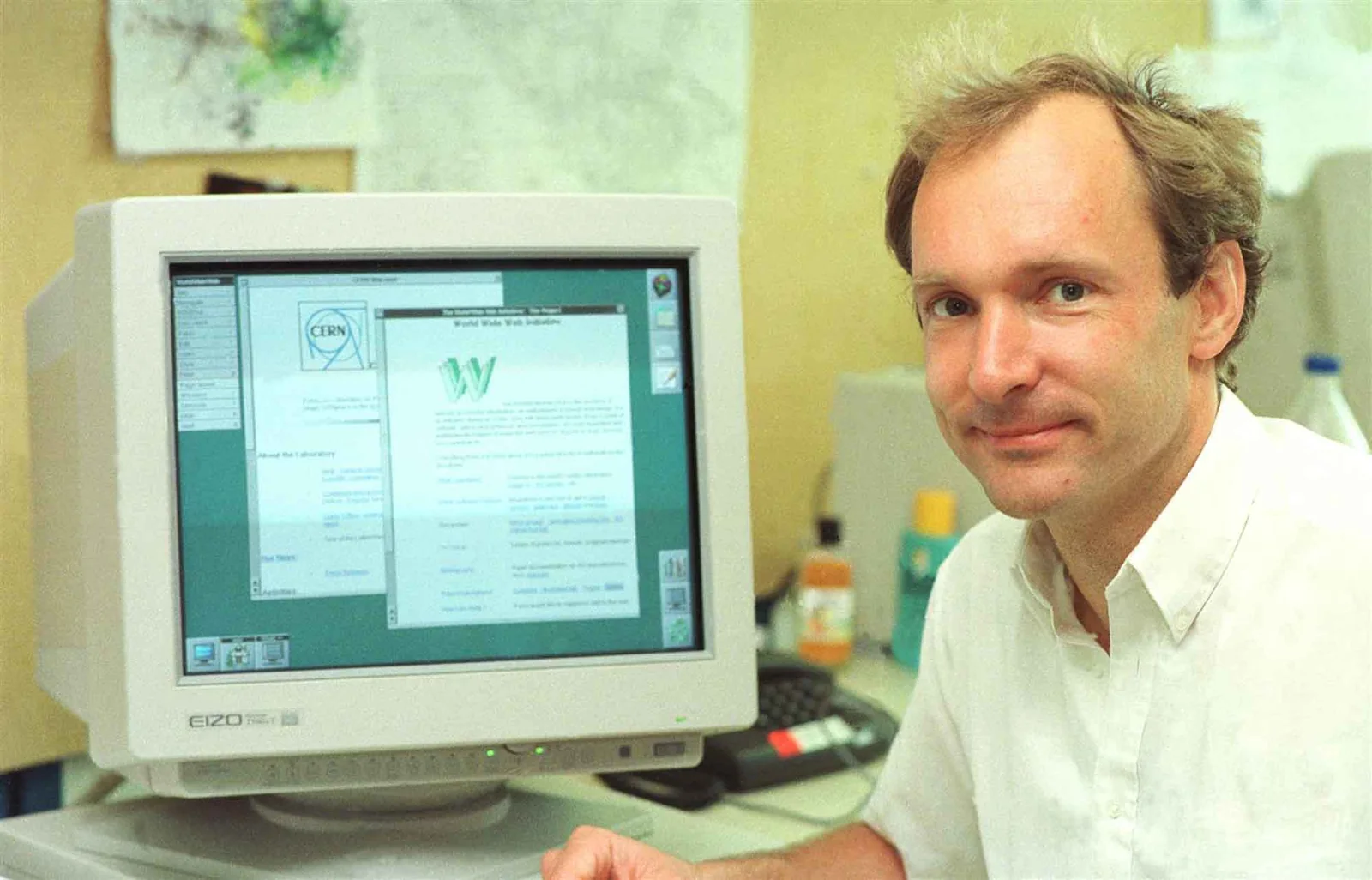
Tim Berners-Lee at CERN in 1994, smiling beside a monitor showing the World Wide Web project page in his NeXT browser

CERN · 1989–1993

Enter Tim Berners-Lee

  1. 1989“Information Management: A Proposal” circulates at CERN. His boss writes “vague but exciting” on it.
  2. 1990On a NeXT cube he writes the first browser-editor and the first server — and HTML, HTTP and the URL.
  3. 1991info.cern.ch goes live outside CERN. The first page explains how to make your own.
  4. 1993CERN puts the software in the public domain. Mosaic ships, and the web leaves the physics lab.
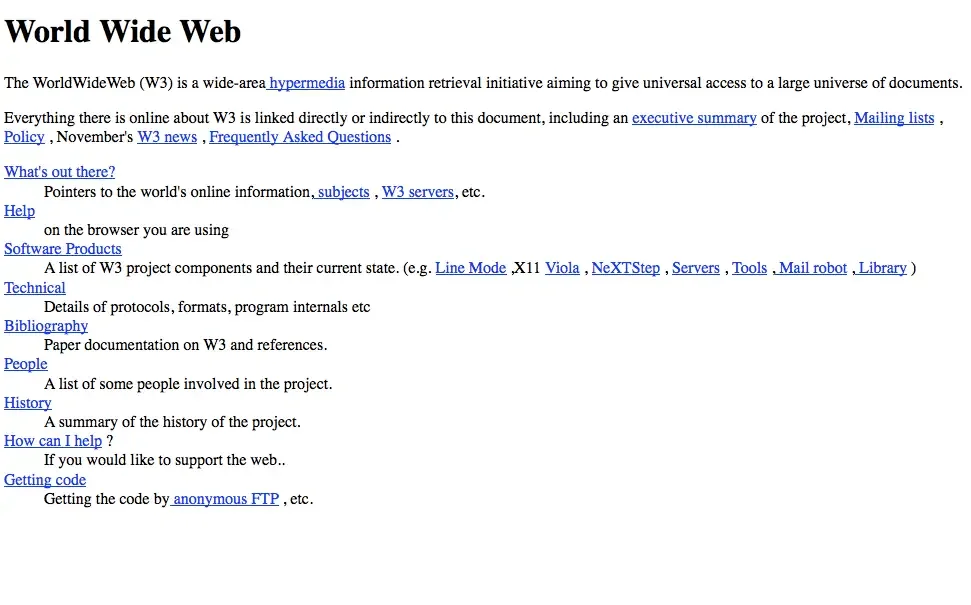
The first web page at info.cern.ch: plain black text with blue hyperlinks describing the World Wide Web project
info.cern.ch, the first website

CERN. (1994). Tim Berners-Lee at CERN [Photograph]. CERN Document Server. · CERN. (n.d.). The birth of the Web. home.cern/science/computing/birth-web

HTTP

A very simple website

HTTP · the request line

HyperText Transfer Protocol (HTTP) request

HTTP · request

A real HTTP request

Burp Suite · Proxy · HTTP history · Request
GET / HTTP/1.1
Host: store.hacklab.internal
User-Agent: Mozilla/5.0 (X11; Linux x86_64; rv:128.0) Gecko/20100101 Firefox/128.0
Accept: text/html,application/xhtml+xml,application/xml;q=0.9,*/*;q=0.8
Accept-Language: en-US,en;q=0.5
Accept-Encoding: gzip, deflate, br
Connection: keep-alive
Upgrade-Insecure-Requests: 1
(blank line — end of headers)
Request lineverb · object · protocol
Headersone Name: value per line; the browser adds most of them without asking you
Blank linea GET has no body, so the message ends here

HTTP · response

A real HTTP response

Burp Suite · Proxy · HTTP history · Response
HTTP/1.1 200 OK
Server: nginx
Date: Fri, 09 Oct 2026 20:31:07 GMT
Content-Type: text/html; charset=utf-8
Content-Length: 18422
Connection: keep-alive
Vary: Cookie
Set-Cookie: session=eyJjYXJ0IjpbXX0.aOf1Qw.3kZl7bq2w; HttpOnly; Path=/

<!DOCTYPE html>
<html lang="en">
<head>
  <meta charset="utf-8">
  <title>Home · Cardinal HackLab Store</title>
  <link rel="stylesheet" href="/static/css/store.css">
</head>
<body>
  … 18 KB of product listings …
Status lineprotocol · response code · reason
Headerswhat this is, how big, and anything the server wants the browser to remember
Bodythe actual document, after the blank line

HTTP · methods

Common HTTP methods / verbs

GET
“Give me an object”

The GET method requests a representation of the specified resource. Requests using GET should only retrieve data.

HEAD
“What are the headers for an object?”

The HEAD method asks for a response identical to that of a GET request, but without the response body.

POST
“Here is some data”

The POST method is used to submit an entity to the specified resource, often causing a change in state or side effects on the server.

Also PUT, DELETE, PATCH, OPTIONS — and the server is free to ignore the verb and do whatever it likes.

MDN Web Docs. (n.d.). HTTP request methods. Mozilla. developer.mozilla.org/en-US/docs/Web/HTTP/Methods

HTTP · request with a body

A real POST

Burp Suite · Proxy · HTTP history · Request
POST /login HTTP/1.1
Host: store.hacklab.internal
User-Agent: Mozilla/5.0 (X11; Linux x86_64; rv:128.0) Gecko/20100101 Firefox/128.0
Accept: text/html,application/xhtml+xml,application/xml;q=0.9,*/*;q=0.8
Referer: https://store.hacklab.internal/login
Content-Type: application/x-www-form-urlencoded
Content-Length: 37
Origin: https://store.hacklab.internal
Cookie: session=eyJjYXJ0IjpbXX0.aOf1Qw.3kZl7bq2w
Upgrade-Insecure-Requests: 1

username=student&password=studentpass
Request linesame shape, different verb
What the body isa form, 37 bytes long
Cookiethe browser sends back what it was given
Bodyyour password, in plain text, exactly as typed

HTTP · response

A real response

Burp Suite · Proxy · HTTP history · Response
HTTP/1.1 302 FOUND
Server: nginx
Date: Fri, 09 Oct 2026 20:31:19 GMT
Content-Type: text/html; charset=utf-8
Content-Length: 207
Location: /profile/2
Vary: Cookie
Set-Cookie: session=eyJjYXJ0IjpbXSwiaXNfYWRtaW4iOmZhbHNlLCJ1c2VyX2lkIjoyLCJ1c2VybmFtZSI6InN0dWRlbnQifQ.aOf1Rw.Qm7vU0pYc; HttpOnly; Path=/
Connection: keep-alive

<!doctype html>
<html lang=en>
<title>Redirecting...</title>
<h1>Redirecting...</h1>
<p>You should be redirected automatically to the target URL: <a href="/profile/2">/profile/2</a>.
302 Found“not here — go there”
Where to gothe browser follows it immediately
Set-Cookiea new, longer cookie: the server now knows who you are
Bodyonly shown if the redirect fails

Part two

What is state?

State

A very simple website — stateless

State

A very simple website — stateful

Part three

Cookies

Cookies

Review: how the server remembers you

Cookies · attributes

Set-Cookie

HttpOnlyJavaScript on the page cannot read it. Blunts cookie theft via XSS (next week).
Path=/Send it with every URL on this site, not just one folder.
Expires / Max-AgeHow long to keep it. Without one it dies with the browser session.
SecureOnly ever send it over HTTPS. The Store does not set this.
SameSiteDon’t send it on requests another site started. Not set either.
DomainWhich hosts get it; defaults to exactly the one that set it.

MDN Web Docs. (n.d.). Set-Cookie. Mozilla. developer.mozilla.org/en-US/docs/Web/HTTP/Headers/Set-Cookie

Browsers · the one rule that matters

Who can see a cookie? The Same-Origin Policy

TL;DR: the browser tries* to keep websites from messing with one another. *Tries, but sometimes fails.

SchemeHostPortPath (not part of the origin)
https://store.hacklab.internal/cartSame originCan read the page, its cookies, its data
http://store.hacklab.internal/Different originScheme changed — and no TLS
https://evil.example/Different originCan send requests to the Store, cannot read the answers

Part four

Seeing it for yourself

Web apps

A more modern website

store.hacklab.internal carouselcart widgetsearch Stanford HoodieA warm and cozy Stanford hoodie. $49.99 “Share this product” · tracking pixel Cardinal Hack Storestore.hacklab.internal JS frameworkcdn.jsdelivr.net Fontsfonts.googleapis.com GET / HTTP/2 200 OK · a huge, complex HTML file GET /npm/bootstrap@5.3.3/dist/js/bootstrap.bundle.min.js200 OK · 80 KB of JavaScript, which now runs on your machine GET /css2?family=Source+Sans+3200 OK · stylesheet, then the font files GET /widget.js Cookie: their cookie, not the Store’s200 OK · a share button, and a note that you were here

Web apps · tools

How do you understand and attack web apps?

store.hacklab.internal Stanford HoodieA warm and cozy Stanford hoodie. $49.99 DEBUGGER · Network 200 GET / document 18.4 kB 200 GET bootstrap.bundle.min.js script 80.1 kB 200 GET css2?family=… stylesheet 1.2 kB 200 GET widget.js script 41.0 kB Sees what the page does; can edit the page and run code in it PROXYBurp Suite · sees and edits every request and response Cardinal Hack Storestore.hacklab.internal JS frameworkcdn.jsdelivr.net Fontsfonts.googleapis.com

Tools · inside the browser

Debugger

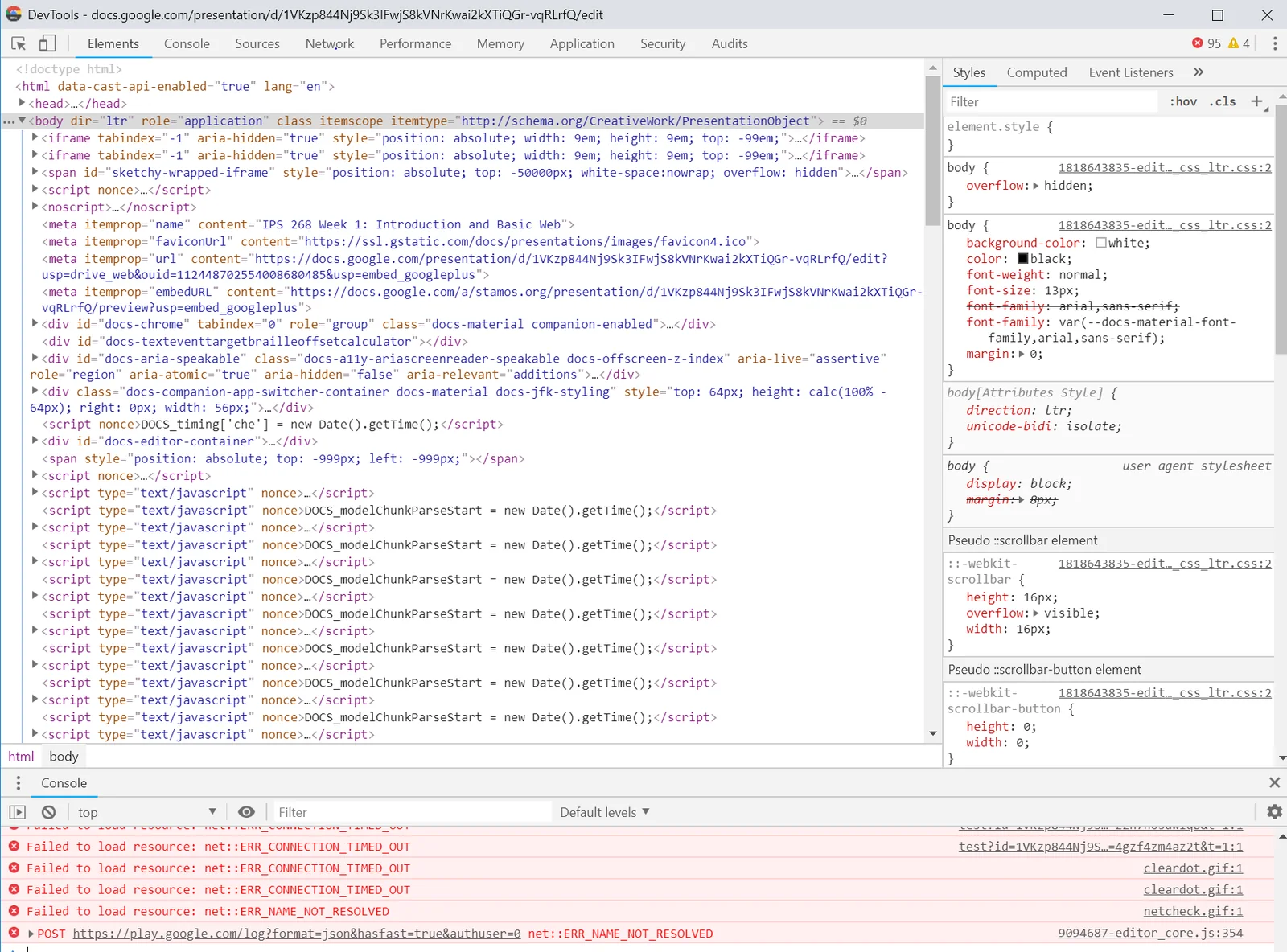
Chrome DevTools open on a Google Slides page: the Elements panel shows the page’s live HTML tree, the Styles pane shows the CSS applied to the body, and the Console below lists failed resource loads
Chrome DevTools: Elements, Styles and the Console, on a Google Slides page
  • Network: every request the page made, in order, with timing
  • Inspector: the live HTML — including hidden form fields
  • Storage: the cookies this origin can see
  • Console: run your own JavaScript as the page

Press F12. It is already on every computer you own.

Tools · between the browser and the world

Proxy
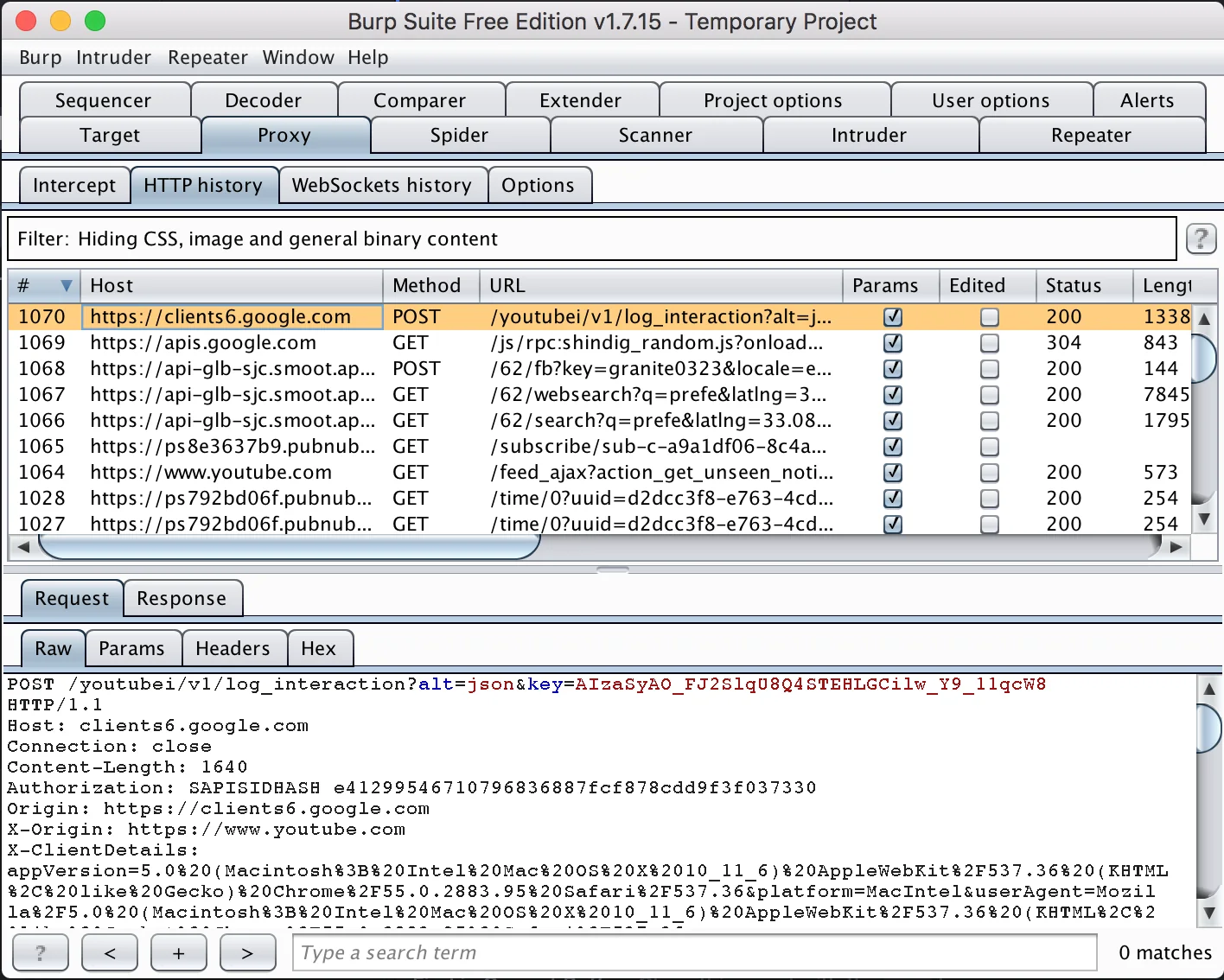
Burp Suite Proxy, HTTP history tab: a table of intercepted requests to Google and YouTube hosts with method, URL, status and length, and below it the raw POST request that is selected
Burp Suite, Proxy › HTTP history: every request the browser made, and the raw bytes of the one selected
  • HTTP history: the raw request and response, byte for byte
  • Intercept: pause a request and edit it before it leaves
  • Repeater: send the same request again, changed however you like

The browser sends what the page tells it to. The proxy sends what you tell it to.

Part five · our first attack

Asking the app to do what you want

Web app attacks

Three big types of web app attacks

01

Asking the app to do what you want.

Change what the browser sends — a number, a cookie, a hidden field — and see whether the server checks.

Today
02

Using the web app to get code running in somebody else’s browser.

Cross-site scripting: your input becomes part of a page another person loads.

Next week
03

Injecting commands to be run directly by the web app.

SQL injection: your input becomes part of a command the server runs on your behalf.

Next week

Insecure direct object reference

IDOR: asking the server to do what you want it to do

Insecure direct object reference

IDOR: asking the server to do what you want it to do

IDOR

Wait, that’s it?

Yup.

Imagine you are a web server. What do you know about the person making requests? What are they sending you?

Are you checking that everything they say matches their identity?

Hands on · Lab 3: Web Application Foundations

Lab

  1. What the browser sees: set up Burp and the Store
  2. HTTP headers: read the two halves of a conversation
  3. One page, many requests: resources and application data
  4. HTTP methods: follow a search, a login, and a cart action
  5. How the Store remembers you: cookies and sessions
  6. Routes, origins, and your first trip through Repeater

Lab instructions and your assigned systems are in the course console: console.hacklab.info